




































































































Why does connecting an AI coding tool to your blog always end up half-working? The demo publishes a post in thirty seconds. Then the images arrive untitled, the social cards come out blank, the byline is wrong, and somebody quietly goes back to copying and pasting into the admin panel. I have watched that cycle three times now, and the failure is never where teams expect it.
I am a CEO with twenty-five years in enterprise delivery, and I built this particular server over a couple of days against three live Ghost blogs. What follows is what actually broke, not what the documentation promised.
Why does publishing from an AI agent keep half-working?
Publishing from an AI agent keeps half-working because the hard part is not generating text — it is the dozen small, unglamorous contracts around it: signing a request correctly, giving an upload the right MIME type, using the exact field name a platform expects, and attributing the post to the right author. Each one fails quietly and independently.
Text generation is the part everyone budgets for. It is also the part that already works. A capable model writes a competent draft on the first attempt.
The rest is plumbing, and plumbing is where the hours go. My own build ended at thirteen tools and 135 tests, and almost none of that code has anything to do with writing prose. It is authentication, configuration, uploads, field mapping, and validation.
The advice that fails: "just call the REST API"
The standard suggestion is to point the agent at the platform's REST API and let it figure the rest out. That advice fails for one specific reason: publishing platforms lie by omission.
They do not reject what they do not understand. They accept it, return a success code, and throw the value away. You get HTTP 201, a post URL, and a green tick — and the field you cared about is empty.
Here is what a live Ghost 6.44 instance actually did to me, none of which appears in an error message:
Look at the second column. Three of those five returned success. An agent trusting status codes would have reported five clean publishes and produced two broken posts.
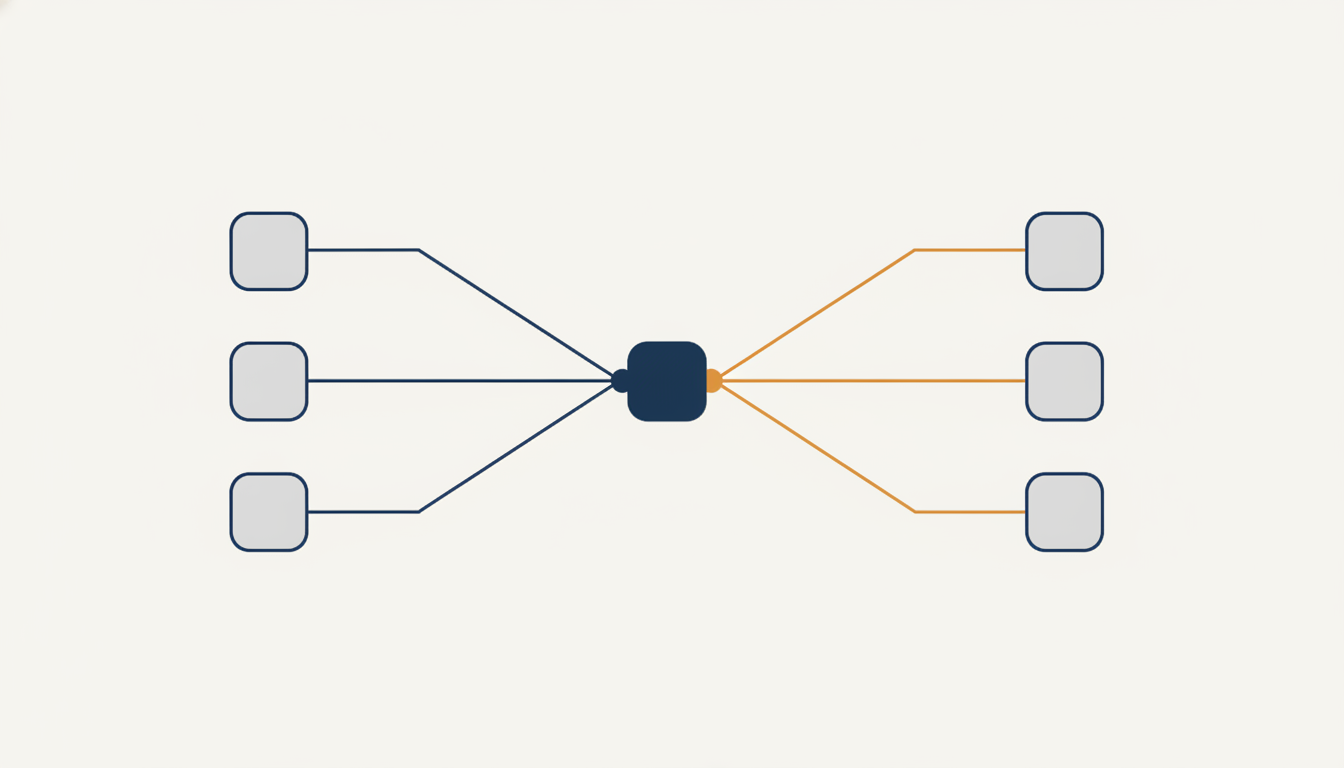
The split that makes it work: deterministic tools, model judgment
The Model Context Protocol is an open standard that lets an AI coding tool call external tools through one uniform interface, so the same server works from Claude Code, OpenAI's Codex, or Cursor without a line of client-specific code. The protocol specification is small enough to read in an afternoon.
What nobody tells you is that the interesting design decision is not which tools to expose. It is which half of the work the server should refuse to do.
My rule: the server owns everything with a right answer, and the model owns everything with a judgment call. Signing a request has a right answer. Choosing whether a paragraph earns its place does not.
| If a step has one correct outcome, put it in the server and test it. If it needs taste, leave it in the conversation where a human can see it happen. |
Two interfaces carry the whole thing
Extensibility collapses into two contracts. A platform adapter — health check, upload image, create post, update post, list tags, list authors — and an image provider — generate, health check. Nothing else in the codebase knows which blog platform or image model is in play.
That means supporting WordPress later is one new file implementing the adapter, plus a config entry. No tool signatures change. No call sites change.
Configuration carries the rest. Each site is a slug, a key, and an endpoint, with the key held as an environment variable reference rather than a literal. I learned to make the endpoint explicit the hard way: two of my three blogs authenticated perfectly and returned 404 on every call, because their admin API lived on a different subdomain than the public site. The keys were never the problem. I had assumed the endpoint could be derived from the site URL, and for two sites out of three that assumption was simply wrong.
The last piece is a scorer. Mine runs eight mechanical checks on a draft before publishing — sentence-length variance, stock AI phrasing, evidence density, first-hand detail, and platform-specific HTML validity. No model call, no external service. It caught the fact that my own writing brief instructed the model to avoid an attribute while containing that attribute in the instruction itself.
What actually broke against a real blog
Three defects passed my entire unit suite and were caught by the first real API call. Every one of them was a mock that agreed with my assumptions instead of with the platform.
| Write one integration test that touches the real API before you trust anything. Point it at a throwaway blog, create a draft, read it back, assert the fields survived, then delete it. Mocked tests confirm what you already believe. |
The image upload was the sharpest lesson. I watched a green test suite for the better part of an hour, then made one real call and got a 415 back immediately. My test asserted the multipart form carried the right fields, and it did. The upload had still never worked, because the file blob carried no MIME type and the platform classified it as a generic binary. I had tested the envelope and ignored the letter.
The second was the excerpt field discussed above. The third was subtler: my own validator demanded a placeholder that the publishing step had correctly already replaced, so it blocked every finished article while approving unfinished ones.
Two rules I would not build without now
First, compare the request against the response on every write. If you set a field and it returns empty, say so out loud. My server now returns a warning naming each discarded field, which is the only reason the excerpt bug did not ship twice.
Second, never let a tool report partial success. An upload that half-worked should fail loudly and say what it completed, so the agent can retry the remainder instead of duplicating work.
How do you start building one?
Start with a health check tool and nothing else. Make it probe every configured blog and every image provider independently and report each result separately, then run it before writing a single publishing function. It will surface authentication and endpoint problems in minutes rather than after you have built three layers on top of a broken assumption.
From there the order that worked for me:
- Authentication in isolation. Whatever signing scheme the platform uses, build and unit-test it alone. It is the highest-risk piece and produces the least useful error messages.
- One integration test against a throwaway blog. Create a draft, read it back, assert every field survived, delete it. Gate it behind an environment variable so normal runs never touch the network.
- The adapter interface, before the second platform. Designing it while you still only have one implementation keeps it honest.
- Config with explicit endpoints. Slug, key reference, endpoint. Never derive the endpoint and never inline the key.
- The quality gate last. Once publishing is reliable, add mechanical checks on the content itself.
For the stack, TypeScript on Node.js with Vitest was enough; the official SDK handles the protocol layer and the rest is ordinary HTTP. Add Schema.org JSON-LD to the page head while you are there, since answer engines cite what they can attribute.
Frequently asked questions
What is an MCP server for blogging?
An MCP server for blogging is a small program that exposes publishing operations — upload an image, create a post, list authors — as tools an AI coding assistant can call. The assistant handles research and writing; the server handles authentication, field mapping and the API calls, so the same setup works from any MCP-compatible client.
Can one MCP server publish to multiple blogs?
Yes. Store each blog as a configuration entry with three fields: a short slug you name when publishing, an API key held as an environment variable reference, and an explicit endpoint. Publishing to a different blog then becomes a single parameter rather than a separate integration, and adding a fourth blog requires no code change.
Do I need a separate server for WordPress and Ghost?
No, provided you define a platform adapter interface early. Each platform implements the same contract — health check, upload image, create post, update post, list tags, list authors — and a registry picks the right one per site. Adding a platform becomes one new file, with no change to the tools themselves.
The piece I would explore next is the quality gate, because it is the part with no established practice. Publishing is a solved problem once you stop trusting status codes. Deciding whether a draft is worth publishing is not, and that is a far more interesting conversation to have with your team than which API to call.